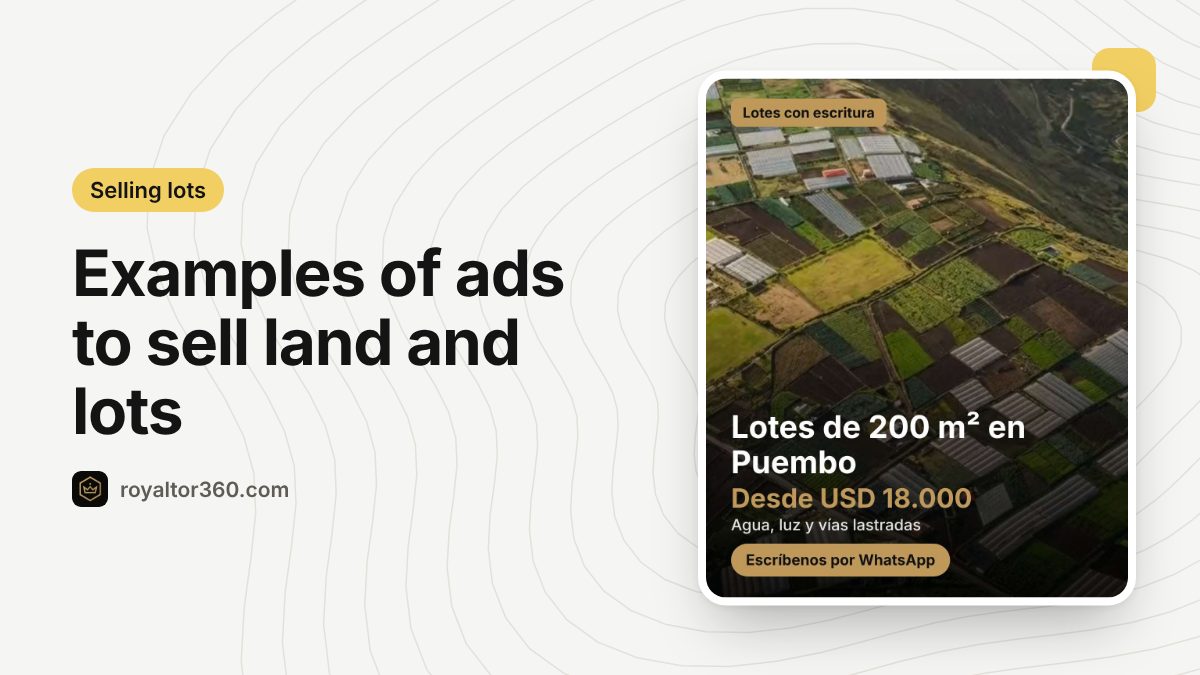
An ad to sell land works when the image answers in one second where the lot is, how much it costs and what to do now, and the text covers the rest. Here you have a free ad and copy generator: you upload a photo or video of the land, choose a design, answer a few questions and it writes the text for you. At the end you see how it would look on Facebook and on Marketplace.
The interactive tool loads in your browser.
The interactive tool loads in your browser.
How to use the generator
- Photo or video. Upload a shot of the land, ideally from a drone, showing the lot, the access road and the surroundings. If you upload a video, the design goes on top and you download it as a video (up to 60 seconds). Nothing is uploaded to a server.
- Design. Choose one of the 8 templates, the format (4:5 for the feed, 1:1 for WhatsApp and Marketplace, 9:16 for stories and reels) and the color. The preview updates as you edit.
- Copy. The assistant asks you where the land is, its size, the price, the financing, the paperwork and what you want the person to do. With that it writes the ad text, the headline, the Marketplace title and description, and the short texts for the image. If you don't like it, ask for another version.
- Facebook preview. See the post as it would look in the feed or on Marketplace, with your image or with the photo alone, and fix the text right there.
8 examples of ads to sell land
Each example is made with the generator: the image with a template and the text with the assistant. Tap "Edit this ad in the generator" to load it and replace the details with your project's. Never publish a price, size or utility you can't deliver.
1. Price from
The most direct one. It works when the price is competitive for the area.
The interactive tool loads in your browser.
2. Monthly payment
For buyers who look at how much they pay per month before the total price.
The interactive tool loads in your browser.
3. Last lots
Only with the real number. If the number changes, change the ad.
The interactive tool loads in your browser.
4. Location
When the strong point is where it is: near a main road, the beach or the city.
The interactive tool loads in your browser.
5. For investment
For pre-sale or a first phase. Avoid promising appreciation with percentages: it's a promise you don't control, and Meta reviews ads with misleading claims.
The interactive tool loads in your browser.
6. To live on or for a country home
Large lots with utilities and access. The text talks about building, not investing.
The interactive tool loads in your browser.
7. For drone video (stories and reels)
The 9:16 format with the design over the video. The hook goes in the first 3 seconds: "This is what a 200 m² lot 15 minutes from the airport looks like". Which shots to ask the pilot for is covered in drone photos and video for selling lots.
The interactive tool loads in your browser.
8. For Marketplace or buy and sell groups
A title with size, documents, place and price. The description in rows: size, price, payment terms, documents, utilities, location and visits. How to post is covered in how to sell land on Facebook Marketplace.
The interactive tool loads in your browser.
Real ads from other subdivisions
To see ads that other subdivisions are paying for today, use the Meta Ad Library. It's public and free:
- Choose your country and the "All ads" category.
- Search for "lots for sale", "land" or the name of a subdivision in your city.
- Filter by active ads.
Look at what repeats in the ones that have been active for weeks: they almost always show the real land, the price or the installment in the first line and a single action. An ad a company keeps running for months is usually one that works for it.
What makes the image work
| Element | Works | Avoid |
|---|---|---|
| Photo | Drone shot with the lot, the access road and the surroundings | Stock photos or renders that don't look like the place |
| Headline | Size and place: "200 m² lots in Puembo" | "Great opportunity" or "Invest now" |
| Price | "From USD 18,000" or "Payments from USD 150" | "Bargain price" with no figure |
| Call to action | "See the plan", "Book your visit" | "More information" |
| Text on the image | Three lines at most | Paragraphs, phone numbers and lists of utilities |
Image sizes for each platform
| Where | Format | Size |
|---|---|---|
| Facebook and Instagram feed | Portrait 4:5 | 1080 x 1350 px |
| WhatsApp, catalog and Marketplace | Square 1:1 | 1080 x 1080 px |
| Stories and reels | Portrait 9:16 | 1080 x 1920 px |
In 9:16, leave the top and bottom strips clear: that's where the page name and the button appear. The generator's templates already respect that margin.
Next step: publish the ad
With the image and the text ready, you have two paths:
- Pay for a campaign. It reaches more people and you can measure who books a visit. Follow how to run a Facebook campaign to sell lots on a small budget.
- Post for free on Marketplace and in groups. It works for one piece of land or a few lots. Follow how to sell land on Facebook Marketplace.
In both cases, the image gets the click and what happens next decides the sale. If the ad leads to the interactive plan with the available lots and their prices, whoever writes has already chosen a lot. The full process is in the guide on advertising to sell land.