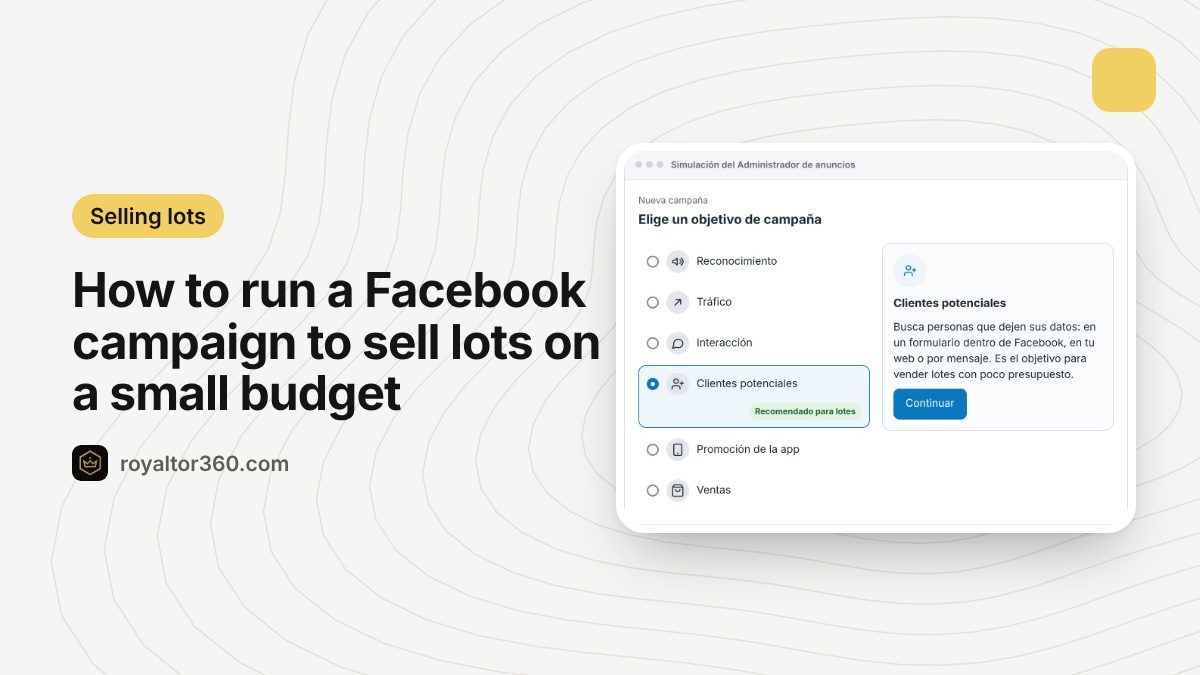
A Facebook campaign to sell lots doesn't need a big budget: it needs the right objective, a location-based audience, two or three ads with a price and someone who calls each contact quickly. This guide builds a Leads campaign step by step in Meta Ads Manager, for Facebook and Instagram at the same time. The gray boxes are Ads Manager simulations: you can tap them to practice.
If you're still not sure what to show in the ad or where to send the click, start with the guide on advertising to sell land.
Before opening Ads Manager
Have this ready, or the campaign will spend on questions that don't end in visits:
- A Facebook Page and the project's Instagram account connected to the same ad account. If they aren't yet, follow how to connect Facebook and Instagram to run ads.
- A payment method in the ad account (credit or debit card). Check the currency and time zone when you create the account: changing them later is a hassle.
- Starting price and starting installment. For example: "lots from USD 50,000, USD 5,000 down payment and installments from USD 250 a month". If the team doesn't know what to answer, the ad is useless.
- The photo or video of the land. Drone footage is best. For the image or video with the price on top, you can use the free ad generator.
- The Meta pixel (optional). Only if you're going to send people to a website. How to do it is in how to install the Meta pixel to sell lots.
Step 1: choose the "Leads" objective
In Ads Manager, tap Create. Meta shows six objectives: Awareness, Traffic, Engagement, Leads, App promotion and Sales. To sell lots on a small budget, the one that works is Leads: Meta looks for people likely to leave their details, not just to look.
The interactive tool loads in your browser.
Then, in the ad set, you choose the conversion location. For lots, two options:
| Location | How it works | When to use it |
|---|---|---|
| Instant forms | A form opens inside Facebook or Instagram with name and phone already filled in | To start, or if you don't have a website |
| Website | The person goes to the project page and leaves their details there | If your page shows the plan and prices and has the pixel |
The instant form
When you create the ad, Meta asks you to build the form. The minimum:
- Form type. Choose "Higher intent": it adds a screen where the person reviews their details before submitting. You get fewer contacts, but more real ones.
- Questions. Name, phone and a multiple-choice question: "When are you planning to buy?" (this month, in 3 months, just looking). It helps you call first whoever is ready.
- Privacy policy. Meta asks for a link to your company's privacy policy.
- Ending message. "Thank you. We'll call you today to send you the plan with prices" and a button to WhatsApp.
The contacts stay in your Page's forms tab and can be downloaded or connected to a CRM. Call within the first few minutes: many people don't remember filling out the form the next day.
Step 2: special category and campaign name
When you create the campaign, Meta asks whether the ad belongs to a special category. Housing is mandatory for advertisers in the United States and for ads that reach the United States, Canada or Europe. Outside those regions it's optional.
If you sell lots in your country to people in your country, you normally don't select it. If you target buyers in the United States or Spain (for example, migrants buying in their hometown), it applies, and with it you can't choose age or gender and the minimum location radius is larger.
Give the campaign a name that says what it is: "Puembo lots · Leads · Nov 2026". When you have several, you'll be glad you did.
Step 3: low budget, but sustained
With little money, the rule is to concentrate:
- A single ad set with the whole budget, not three sets with a third each.
- A fixed daily budget for at least a week without touching it.
- An amount you can sustain for two or three weeks. Many land subdivisions start with 5 to 10 USD a day; it isn't a Meta rule, it's what lets you gather data without risking much.
Try it with your numbers. The cost per lead is an assumption you set: you'll see the real one in the first week.
The interactive tool loads in your browser.
Meta learns who to show the ad to from the results it gets. According to Meta, the learning phase ends when an ad set reaches about 50 results in 7 days. With low budgets that may not happen, and that's fine: you'll still see which ad brings cheaper contacts. What doesn't help is splitting the little money into many parts.
Step 4: audience
For land, location matters more than any interest:
- Location the city where the project is and the cities your buyers come from. If you sell in a valley near a capital, include the capital. Choose "People living in this location".
- Age from 25 or 28 is usually reasonable for buying lots; adjust it based on what you see in your real sales.
- Advantage+ let Meta expand the audience if it finds better results. The interests you add work as a suggestion, not a limit. On a low budget, a broad audience with a good location usually works better than a very narrow one.
- Language leave it empty unless you sell to foreigners.
The interactive tool loads in your browser.
Ad placements: leave them automatic (Advantage+). Meta distributes across Facebook, Instagram, stories and reels depending on where the result is cheapest.
Step 5: the ads
Upload two or three different ads in the same ad set, not ten. Make something important change between them:
- Image with the starting price over the drone photo (4:5 format).
- Image with the monthly installment (4:5 format).
- Short drone video of 15 to 30 seconds that ends over the plan with the lots (9:16 format for reels and stories).
For the text, the first line is the one seen before "See more": put the strong fact there. For example: "200 m² lots with title deed in Puembo from USD 18,000". The ad generator writes the text with your details and shows you how it would look in the feed.
Recommended sizes: 1080 x 1350 px for the feed and 1080 x 1920 px for stories and reels.
Step 6: call quickly and measure what matters
A lot campaign is won or lost in the first hours after the form. If someone fills it out at nine at night and you call the next day, they've already talked to another project.
What's worth looking at every week:
| Metric | What it tells you |
|---|---|
| Cost per lead | How much a contact costs |
| Booked visits | How many contacts were real buyers |
| Cost per booked visit | The number that really compares ads |
| Reservations | How much the campaign sold |
Record the source of each contact in your CRM or at least in a spreadsheet, so you know which ad brought each visit.
Mistakes that make the campaign more expensive
- Touching the campaign every day. Every big change restarts the learning phase. Wait a week.
- Many ad sets with a small budget. None of them gathers enough data.
- Advertising without a price. You get lots of "info" messages and few visits.
- A form with no filter question. You call everyone the same way and waste time on people who were just looking.
- Using the post's "Boost" button for everything. It's useful for reach, but you have less control over the objective and measurement than in Ads Manager.
- Promising appreciation or returns with figures. Meta reviews ads with misleading claims, and the buyer will hold you to it.
The interactive tool loads in your browser.
A minimal campaign, summarized
| Part | Setup |
|---|---|
| Objective | Leads |
| Conversion location | Higher intent instant form (or website with pixel) |
| Special category | None, if you only advertise in Latin America |
| Budget | Fixed daily, a single ad set, at least 2 weeks |
| Audience | Project city and nearby cities, from age 25, Advantage+ |
| Placements | Automatic |
| Ads | Starting price, monthly installment and drone video |
| Measurement | Cost per booked visit |
Once the campaign brings in contacts, the next bottleneck is calling and following up with all of them. At Royaltor360 each contact goes into the CRM with its source, the assistant answers with the project's details at any hour and the buyer can see the plan with the available lots before writing. If you want to review it with your project, book a demo.